// guide · exploring
// the surface
This page shows you how to explore your planet's surface with the rover, mine what it finds with rigs, dig deep for more, and keep the relics it brings home.
The surface opens at Level 5. The Scout Ship's overflight charts it into six to eight regions first, so the rover has somewhere to go: see Starships and hand landings.
// build a rover
where to find it · [ explore ] → // surface
Research Surface Survey under [ research ], then press [ build ] on the rover's card in // surface. The Factory builds it, beside the build queue, and builds one thing at a time, so a probe under way holds the rover back and the rover holds the probe.
The colony holds one rover until Level 11, which brings a second, so two expeditions can run at once. Level 22 brings a third, and the card comes back to build it.
// explore a region
Each charted region has a line in // surface: its numeral, how far it is, its size and its terrain, then the trip's length. Region I is the landing site, where the wreck lies, and the rover's first expedition has to go there. After that, explore the rest in any order.
- Press
[ explore ]on the region you want. An expedition costs nothing and can't be called back. - The rover drives out, explores and drives home. Its line counts down each part, and you will see it crawl across the planet.
- When it is home, the region's line names its find, and the log says what the rover brought.
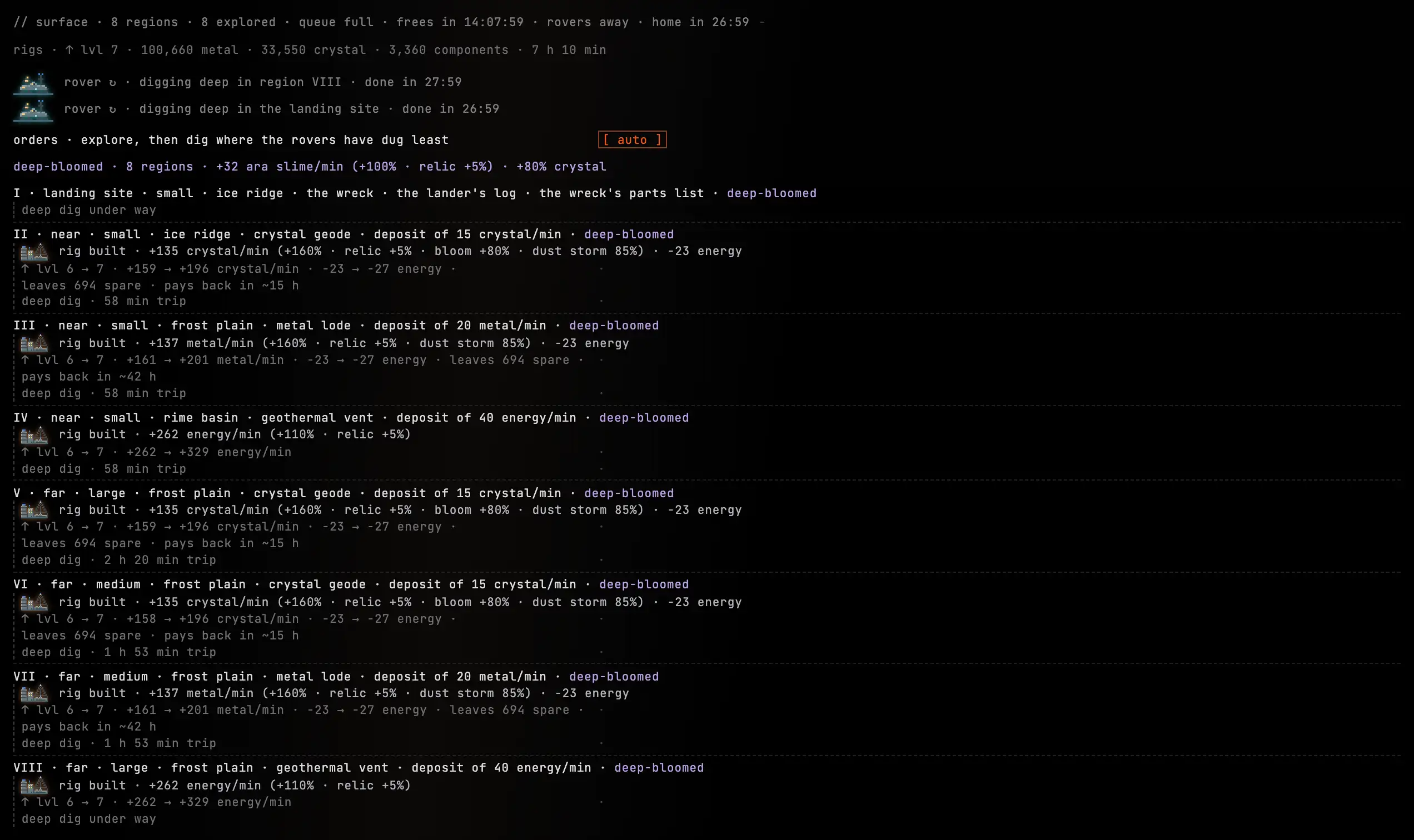
Near regions are quicker to reach than far ones, and bigger regions take longer to explore. Research that levels Drives and Survey Instruments shortens every trip, and the line shows how much it saves.
The landing site's expedition brings home the crew's records of the landing and a list of the wreck's broken parts, which you can then repair under [ colony ]. Each repair opens something new later on.
// what the rover finds
Every region holds one find. Most are deposits of Metal, Crystal, Energy or components, which a rig can mine. A few are curiosities, which pay out once when the rover comes home: a relic and a load of Metal or Crystal, credited in full even past your stores' caps.
Now and then the rover also brings home a curio, a small keepsake that goes in the journal under [ log ], and every trip home adds notes to the crew's notebooks (see Projects, notebooks and perks).
// build a rig
A region with a deposit carries a rig line under it. Press [ build rig ], or [ queue ] if the build queue is busy. A rig goes through the build queue, takes no field and draws Energy, except on a geothermal vent, which makes Energy instead.
Once built, the rig's line shows what it yields each minute, and its next level sits under it with the change, the cost and [ upgrade ]. Rigs level like buildings, and their levels count toward your level conditions.
// dig deep
Once every region is explored, each region's line gains a deep dig. To send the rover back, press [ dig ] on that region's line. A dig takes the same trip as exploring the region and brings home a cache of Metal and Crystal, a cache of components or, more rarely, a relic. A cache is credited in full, past the caps.
A region takes one dig at a time, but you can dig the same region again once the rover is home, as often as you like.
From Level 16, the rovers can explore and dig by themselves, each going out again the minute it is home: see Standing orders.
// relics
where to find it · [ explore ] → // relics
Relics are rare finds from ruins, caves and deep digs, and later from asteroids, other worlds and levels. There are twelve. Each gives a small, permanent bonus, such as a little more output or a little less time, and shows it where it applies: relic +5% beside a building's yield, or in the times and caps themselves.
// relics starts closed. Open it to see the relics you hold, each with its bonus, and an empty slot for each still to find.
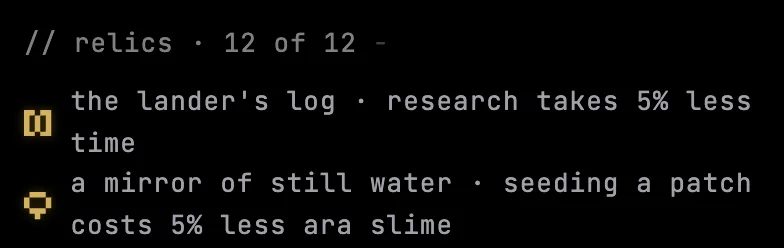
Relics belong to you rather than to one colony, so their bonuses hold in every colony you settle. Once you hold all twelve, a find that would have brought a relic brings a cache instead.