// guide · exploring
// probes and moons
This page shows you how to build a probe, survey your world's moons and put an outpost on a moon that holds a deposit. Probes open at Level 3, once the colony has a Factory, since the Factory is what builds them.
Every world has one or two moons. Each holds one find, and a survey is the only way to learn what it is.
// build a probe
where to find it · [ explore ] → // probes
Until the colony holds a probe, // probes shows a card for one. It costs components, which only the Factory makes, so it can't start until the Factory stands and has made enough. Press [ build ] on the card.
The Factory builds the probe on a line of its own, beside the build queue, so buildings and upgrades carry on while it works. The Factory builds one thing at a time, though: while the probe is under way, a rover or a deep-space probe waits for it, and the other way round. The colony holds one probe, which comes home after every mission and is never lost.
// survey a moon
Under the probe's line, each moon has a line of its own with its size and the length of the trip. Press [ survey moon I ] to send the probe. A survey costs nothing and can't be called back.

The probe flies out, surveys the moon and flies home, and the bigger the moon, the longer the survey. Its line counts down each part of the trip, and // now shows it too. The probe brings the find home with it: the moon's line then names it, and the colony's log gains a line.
A moon holds one of two kinds of find:
- A deposit of Metal, Crystal, Energy or components, which an outpost can mine every minute.
- A curiosity, which pays out once, when the probe comes home. The payout goes straight into the stores.
Each moon is surveyed once and stays surveyed, and the probe is then free for the next one. A moon whose curiosity has paid out has nothing more to offer, so its line folds away under done · 1 at the end of // probes; open it to read the moon's find again.
// build a moon outpost
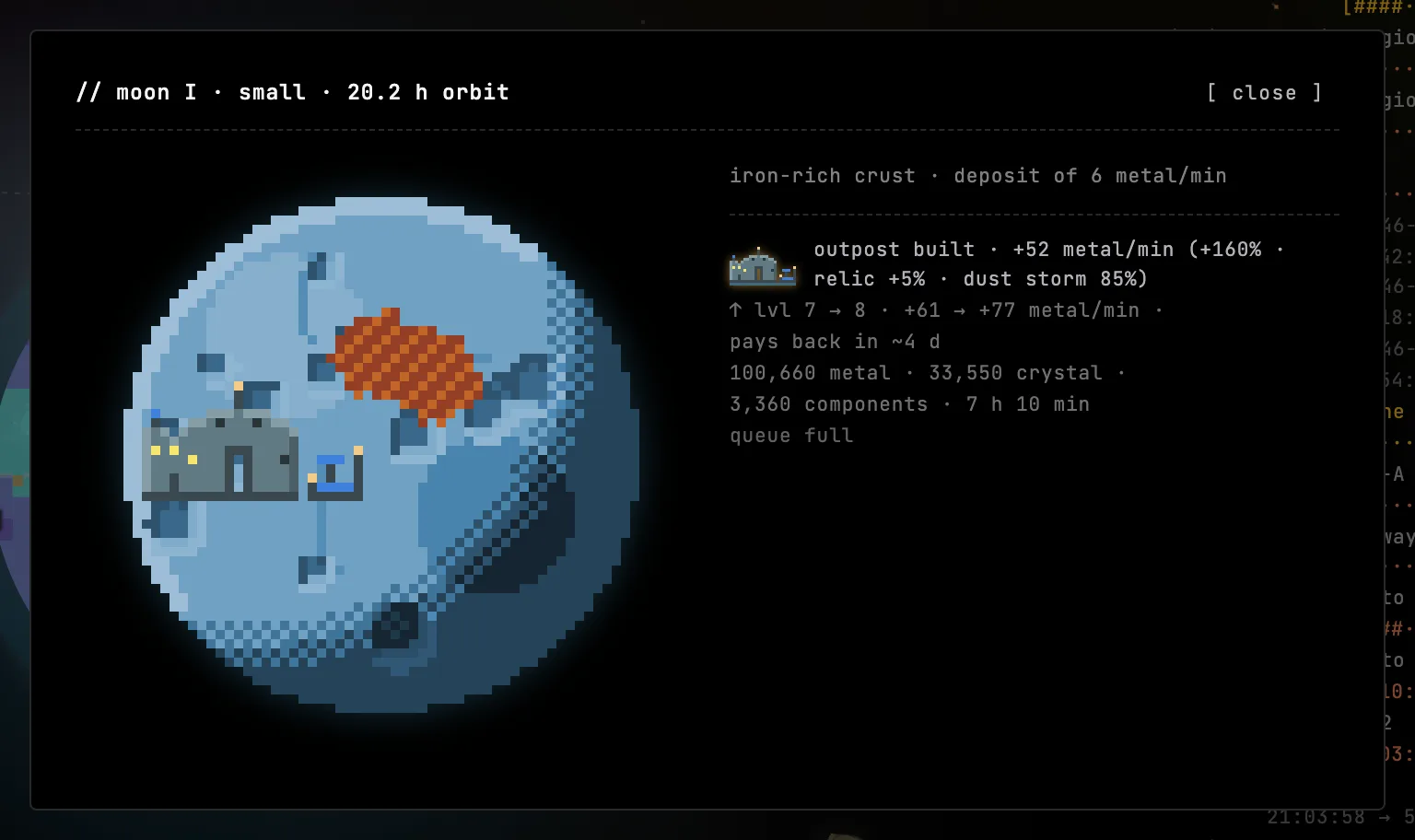
A moon with a deposit carries an outpost line under it, with the outpost's cost and build time. Press [ build outpost ], or [ queue ] if the build queue is busy. The outpost goes through the build queue like a building, but it stands on its moon, so it takes no field on the planet and draws no Energy.
Once built, the outpost's line shows what it yields each minute, with the colony's research bonuses where they apply. It is a producing building like any other: what it makes counts toward your level conditions, and an Energy outpost on ice adds to what your power plants make.
// a moon's close-up
Press a moon on the planet scene to open its close-up. It draws the moon large, with its find on the surface once surveyed and its outpost standing on the lit side, and beside it the same survey and outpost lines as // probes, with the same buttons. A moon slows down while the pointer rests on it, so it is easy to catch.
Escape, [ close ] or a click outside the close-up closes it.