// guide · start here
// getting started
In this tutorial we land on a barren world, get the crew out of the wreck and build the colony's first four buildings, then research our first technology and reach Level 2. It takes about a quarter of an hour, most of it spent watching the colony work.
All you need is a browser. Nothing here can go wrong: the colony keeps running if you close the tab, and it will be where you left it when you come back.
// send out a probe
Open momentary.space. The homepage is a small universe that everyone watches together, with its own worlds blooming in the background. Our colony will be somewhere else, on a world of our own.
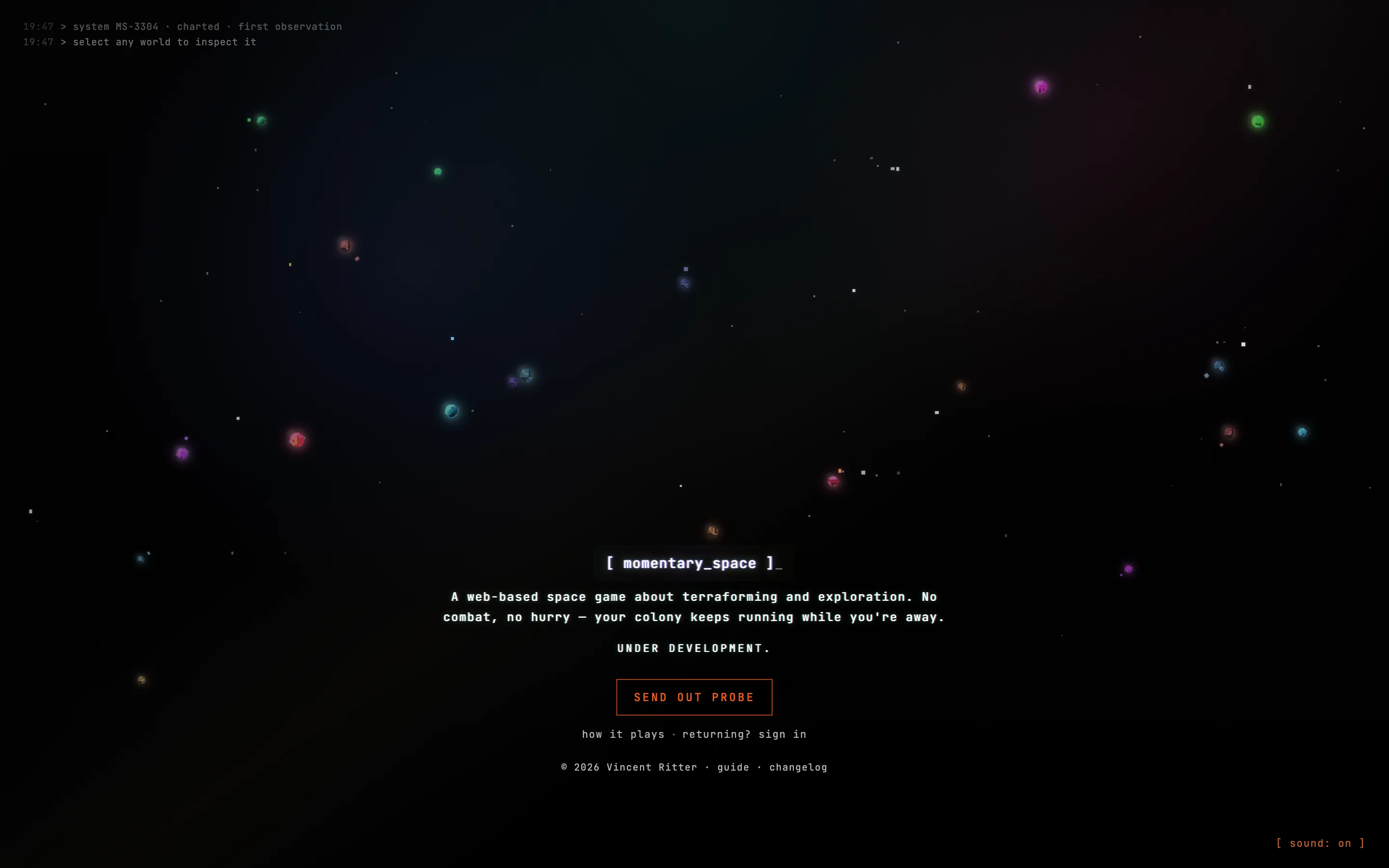
Press Send out probe to open the starter scan.
// pick a world
The probe comes back from its scan with three barren worlds in range. Each readout shows the world's fields, which are its building space, how rich it is in Metal and Crystal, its temperature and any quirk. One world has the most fields, one the most Metal and one the most Crystal, so none of them is a bad choice.
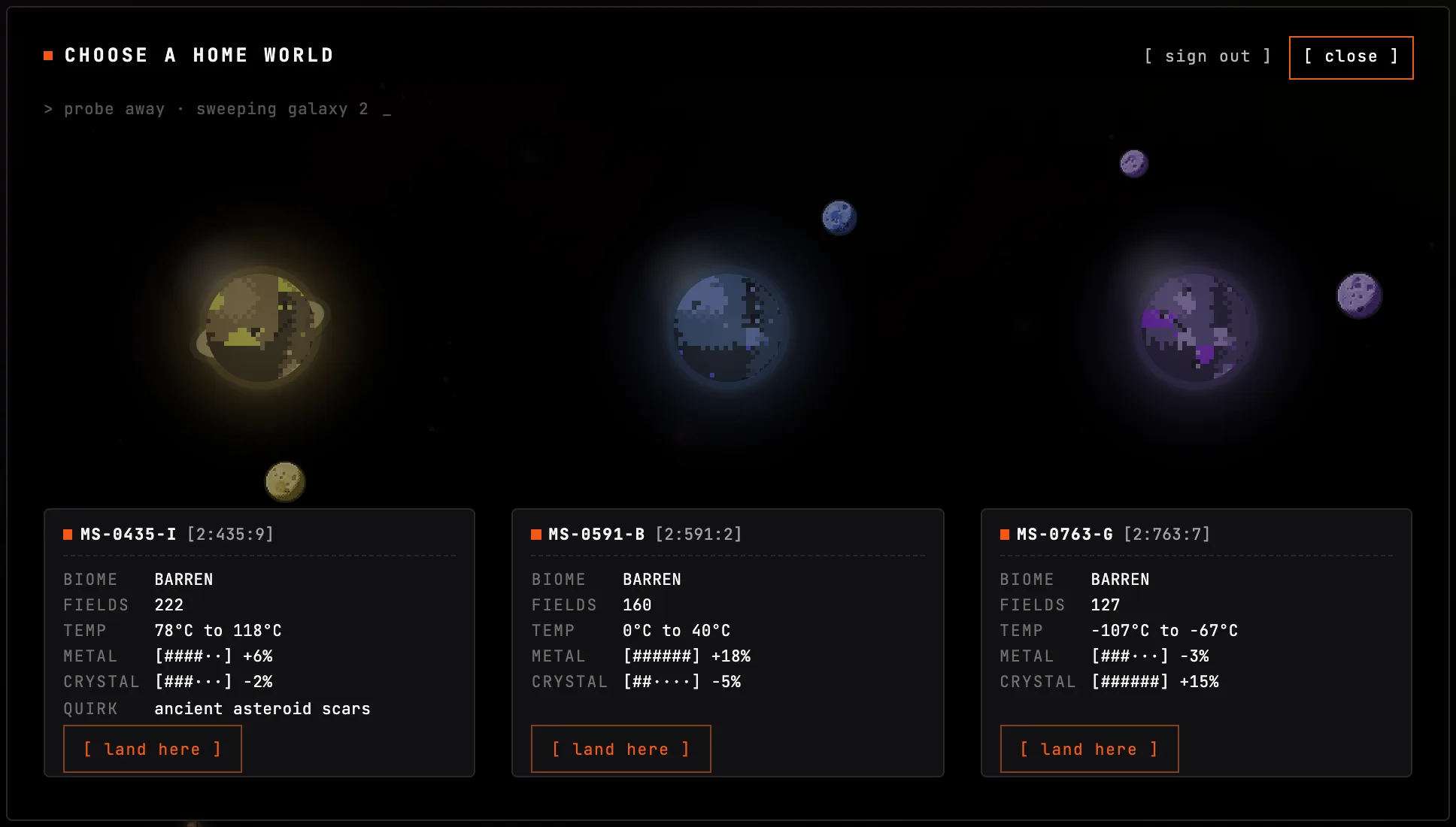
Pick the one you like the look of and press its [ land here ].
// the descent
The lander comes down on the world we picked, and on the way down something goes wrong. Watch the scene play out. When the crew has a moment to save one thing from the cargo, three buttons appear under the scene.
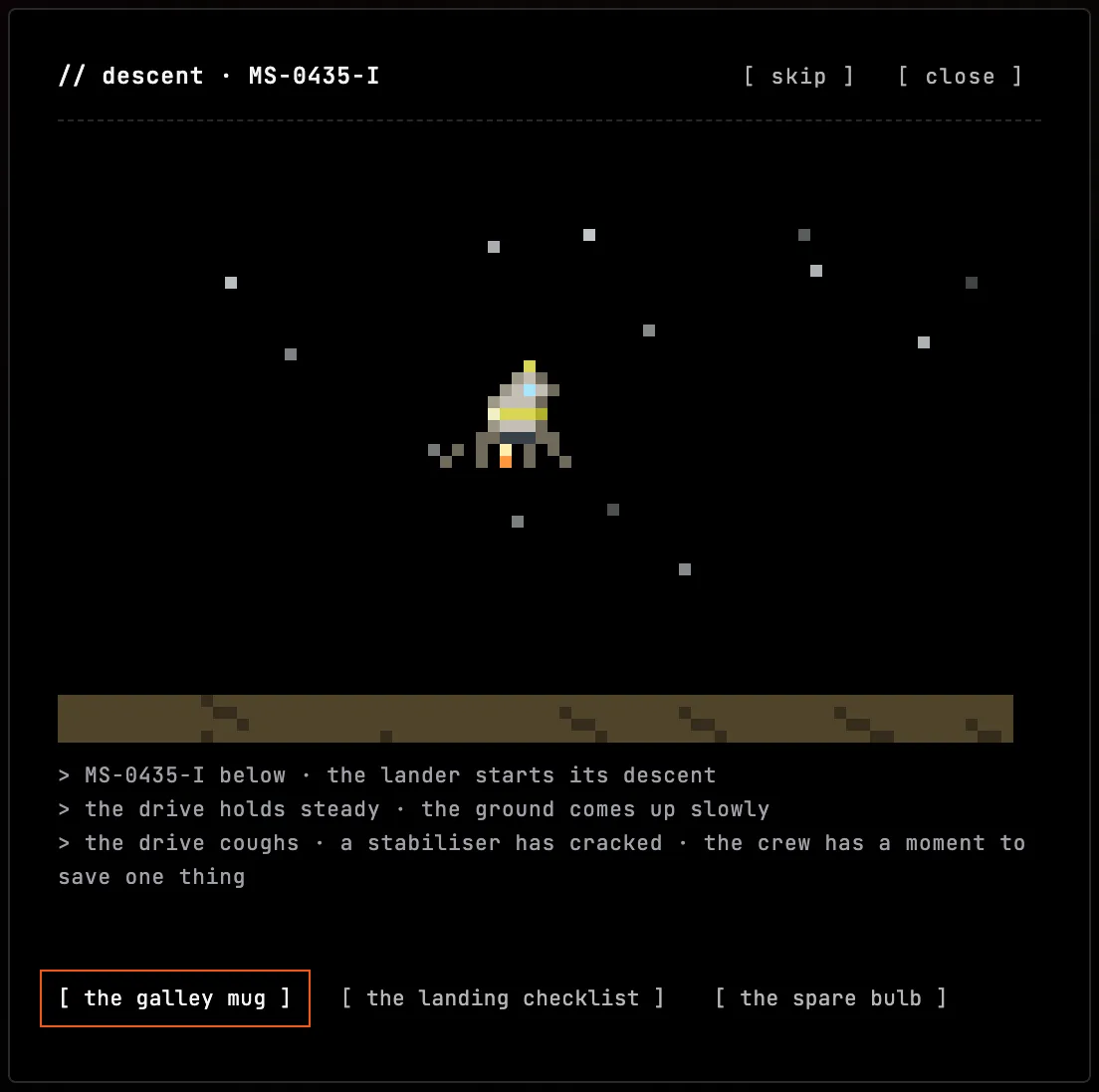
Choose one. It makes no difference to the numbers, so take whichever you like best: the crew keeps it, and you will see it again in the colony's journal. [ skip ] lands at once and lets the crew pick for you.
// after the landing
The colony page opens on our world. On the right, the landing card says the lander came down hard and shows your session code.
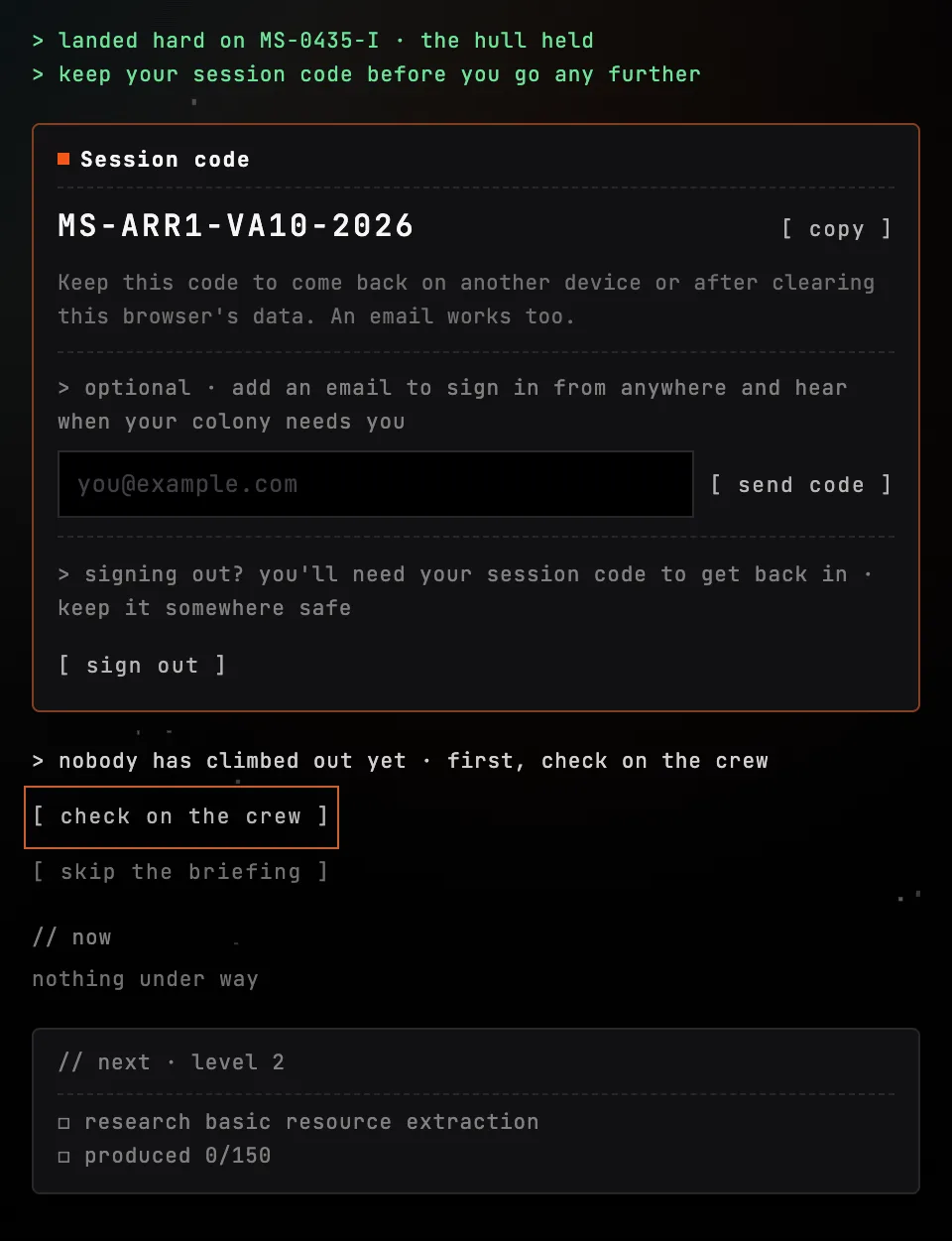
Copy the session code with [ copy ] and keep it somewhere safe. It is the only way back into this colony on another device, or if this browser forgets you. If you would rather sign in by email, the field under the code takes an address, and you can add one later under [ account ] → [ all settings ] too.
Under the card, the briefing tells us what the crew needs, one step at a time. Its first step is [ check on the crew ]. Press it. You will notice the crew climb out of the wreck on the planet, and a bar fill under // now.
When the check is done, the briefing offers [ look around ]. Press it, and the crew walks round the wreck.
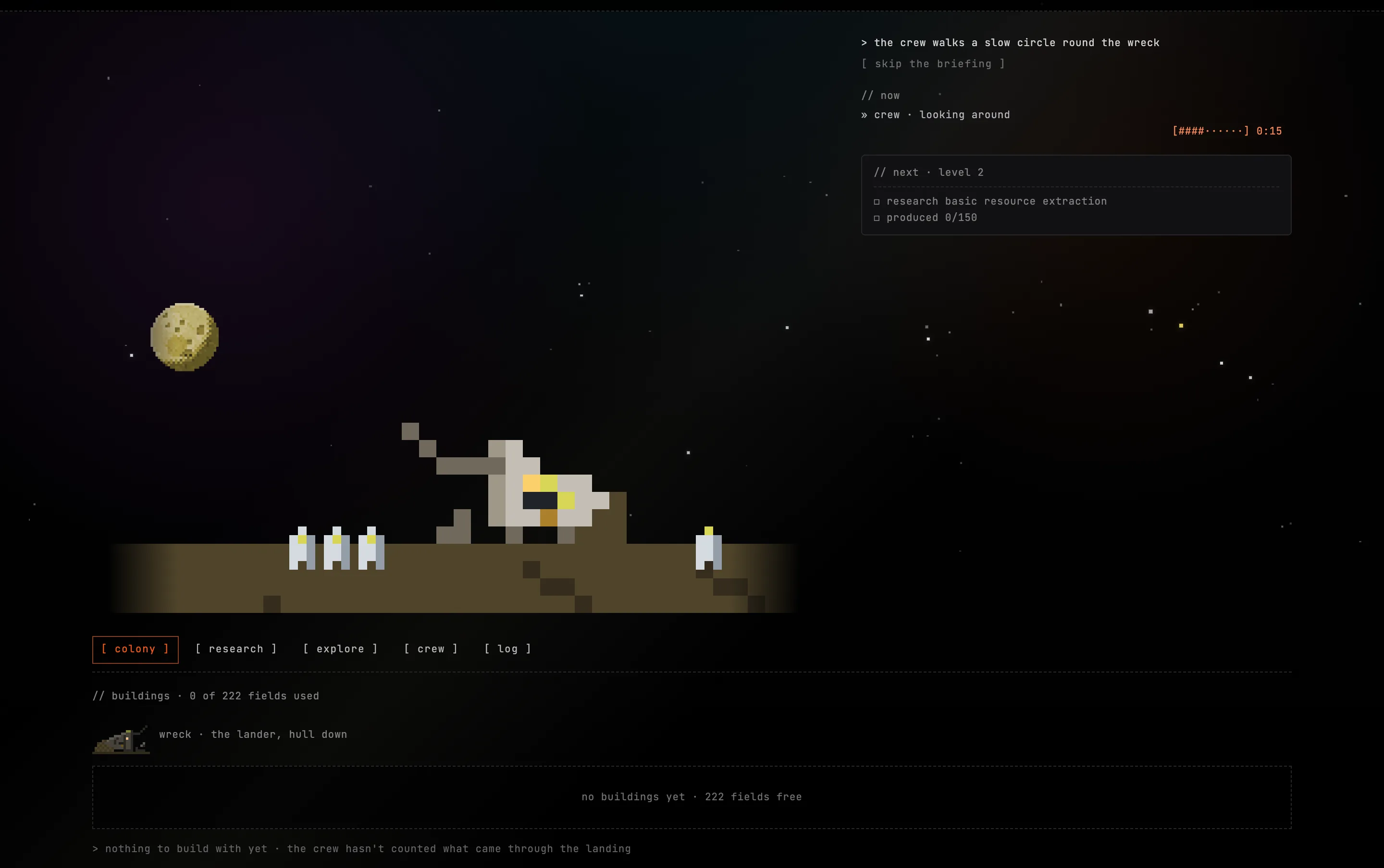
Last comes [ count the salvage ]. Until the crew has counted it, the resource bar shows Metal and Crystal as ?. Press it, and after a few seconds the stocks count up: everything the crew could save from the wreck.
// the first buildings
The salvage is enough for four buildings and no more, so the briefing now walks us through those four. Its line names what to build next, and the button it means has a soft outline that breathes. If the [ colony ] tab isn't selected, the tab carries the outline instead. The last words of the line, such as build a metal mine, are a link: follow it and the page scrolls to the button.
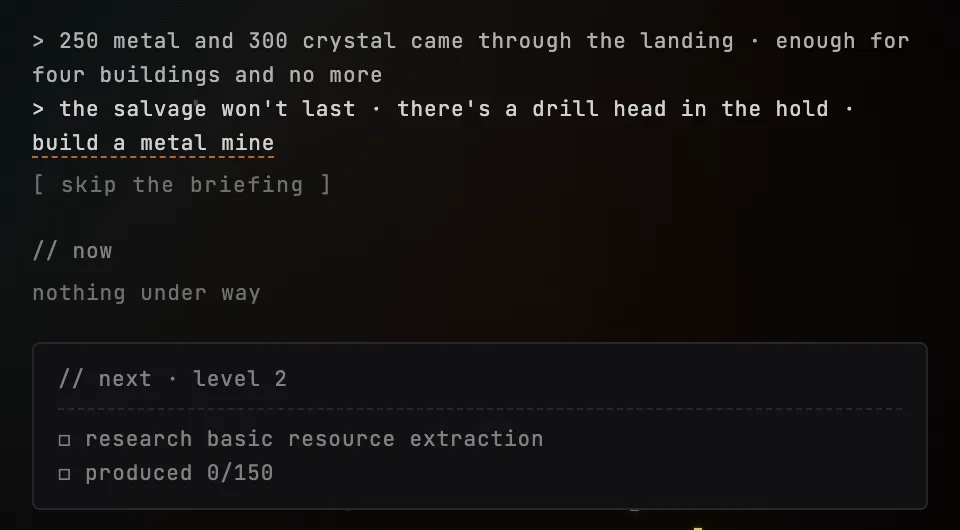
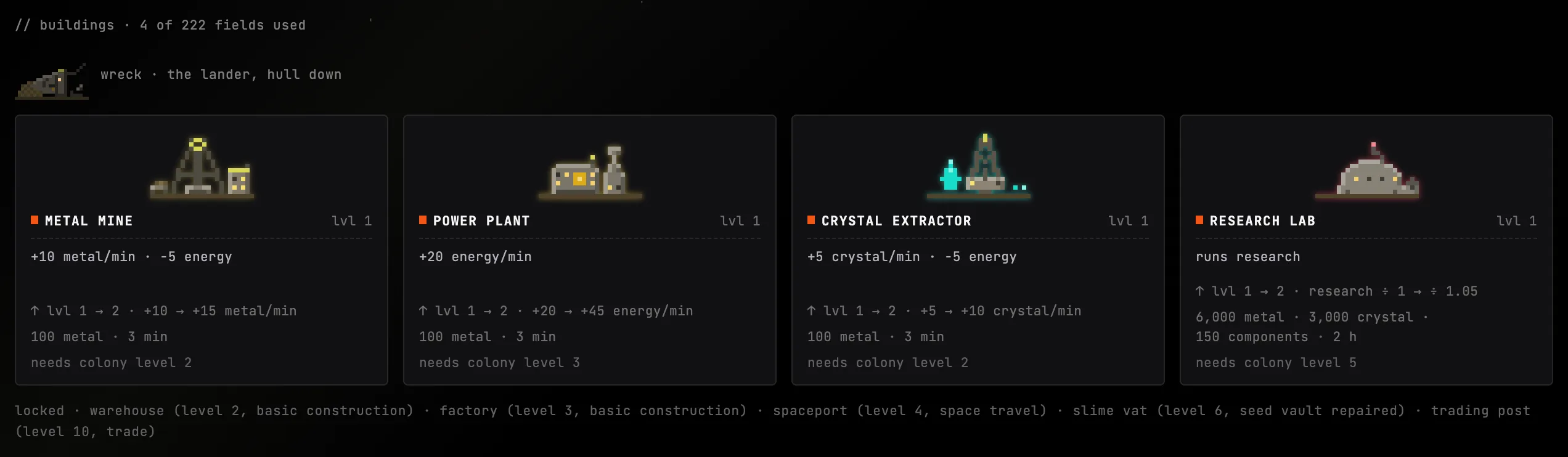
Build them in the briefing's order. Each card under // build shows what the building does, its cost and how long it takes.
- Press
[ build ]on the Metal Mine. It is ready at once, but it stands still: nothing runs without Energy. - Press
[ build ]on the Power Plant. A minute later the mine starts producing Metal. - Press
[ build ], or[ queue ], on the Crystal Extractor. A queued building waits behind the one under way, and it is paid for now. - Press
[ build ]or[ queue ]on the Research Lab.
Each building gets a tile of its own, with its drawing and what it yields every minute. Builds take a minute or two, and // now counts each one down.
// the first research
Once the lab stands, the briefing points at the [ research ] tab. Select it. The card for Basic Resource Extraction has the outline: press its [ research ].

Research is paid in Crystal and takes a few minutes. When it is done, every mine and extractor yields a fifth more.
// level 2
There is nothing left to press for now. The // next card on the right lists what the colony needs for its next level, each with a box that fills with a tick when it is met: the research we just started, and 150 Metal and Crystal produced by the buildings.
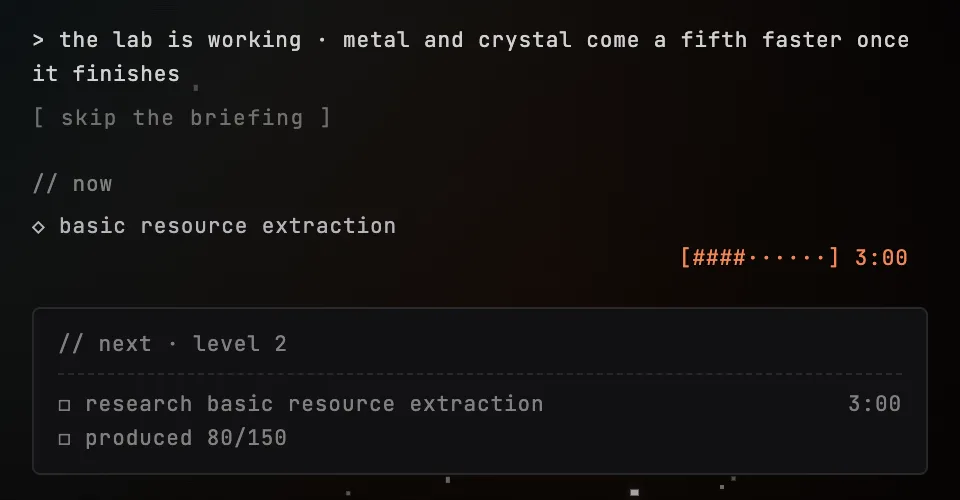
Leave the tab open, or close it and come back later. When both conditions are met the colony reaches Level 2. Under // next, we'll see the conditions for Level 3 and a hint, followed by the news and a few lines from the crew.

You have landed, built a colony that produces by itself and reached Level 2.
// where next
The colony page is a tour of everything on the page we have been using, from the resource bar to the log.