// guide · your colony
// buildings and upgrades
Buildings are how the colony makes Metal, Crystal, Energy and everything else. This page shows you how to put up a new building, upgrade one you have, line up several builds before you leave, and read why a card can't start yet.
Everything here lives in the [ colony ] tab.
// build a new building
Under the tiles of the buildings you have, // build holds a card for each building the colony can put up but hasn't yet. A card shows the building's drawing, what it will yield once it stands, its cost and how long it takes to build.

Press [ build ] to start it. The cost comes out of the stores at once, and the building gets a tile of its own straight away, unlit, with a bar counting down to when it stands. It starts producing the minute it is finished.
Every building takes one field, the building space on your world. The heading counts them, as in // buildings · 6 of 163 fields used. Outposts, rigs, starships and the wreck's repairs take no field.
Buildings the colony can't reach yet are listed in one quiet line under the cards, each with what it needs, such as spaceport (level 4, space travel). Reach the level and research the technology, and the building gets a card of its own.
Two buildings open with the home colony's level rather than the colony's own: Quarters, which add berths for settlers, from Level 16, and the commons, which gives a colony a project bench of its own, from Level 20. See Settlers and the shuttle.
// upgrade a building
Each building's tile shows its level, what it yields each minute and the combined production bonus, as in +42 metal/min (+70%). Weather and damage affecting its yield appear beside the bonus. The tile's last lines describe its next level: what it will yield, any change in the Energy it draws, the cost and the time.
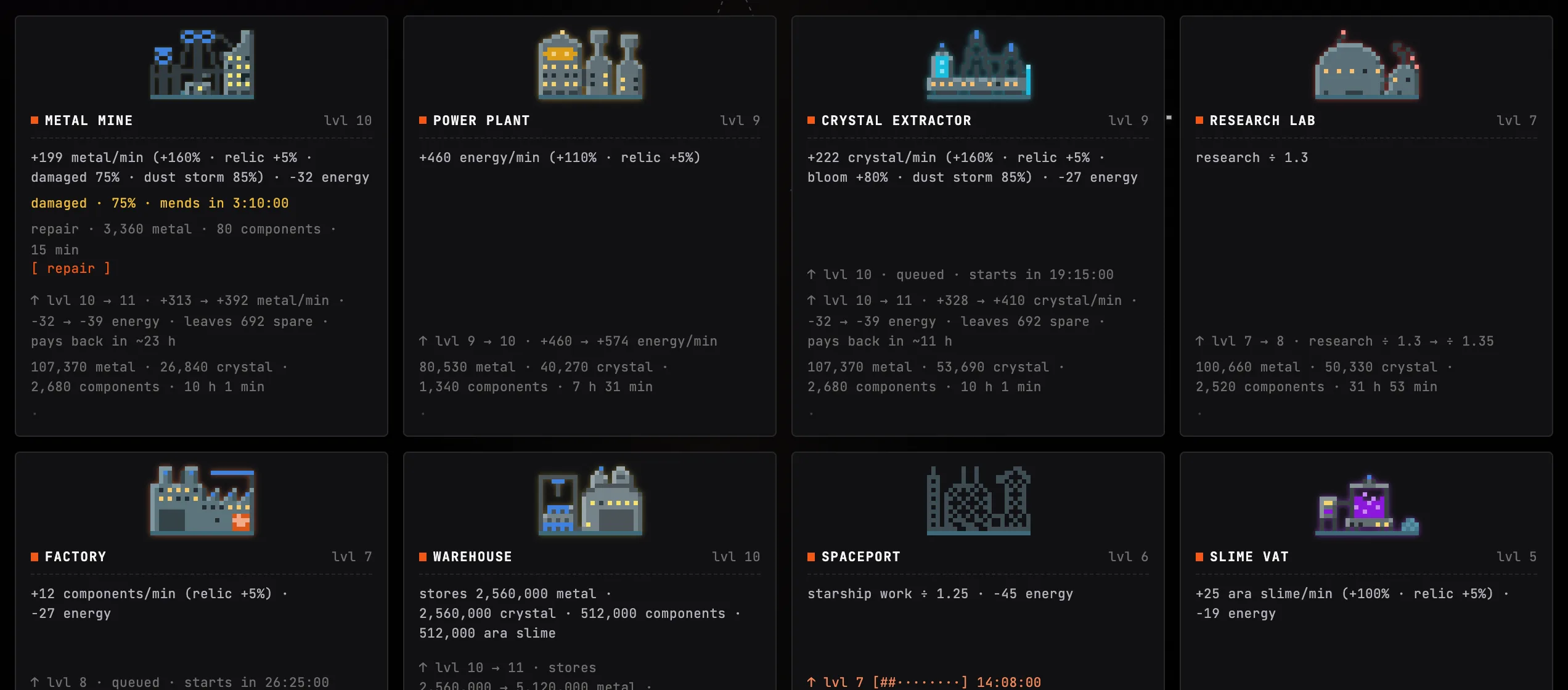
Press [ upgrade ] to start the next level. The building keeps producing at its current rate while it is upgraded, and switches to the new rate the minute the upgrade is done.
Every level adds more output than the one before, but its cost and build time grow faster still, so each upgrade takes a little longer to pay for itself. An upgrade is always worth having, and never urgent. From Level 5 the colony's buildings can keep levelling with no ceiling.
// look at a building up close
Press a building's drawing or its name to open it. The dialog shows the building large, with what it yields, and beside it the next level drawn as a blueprint, so you can see exactly what the upgrade adds. When the next level is a new shape altogether, the caption says new tier.
Look under the drawings to see how much each source adds to the production bonus, such as research +30% · relic +5%.
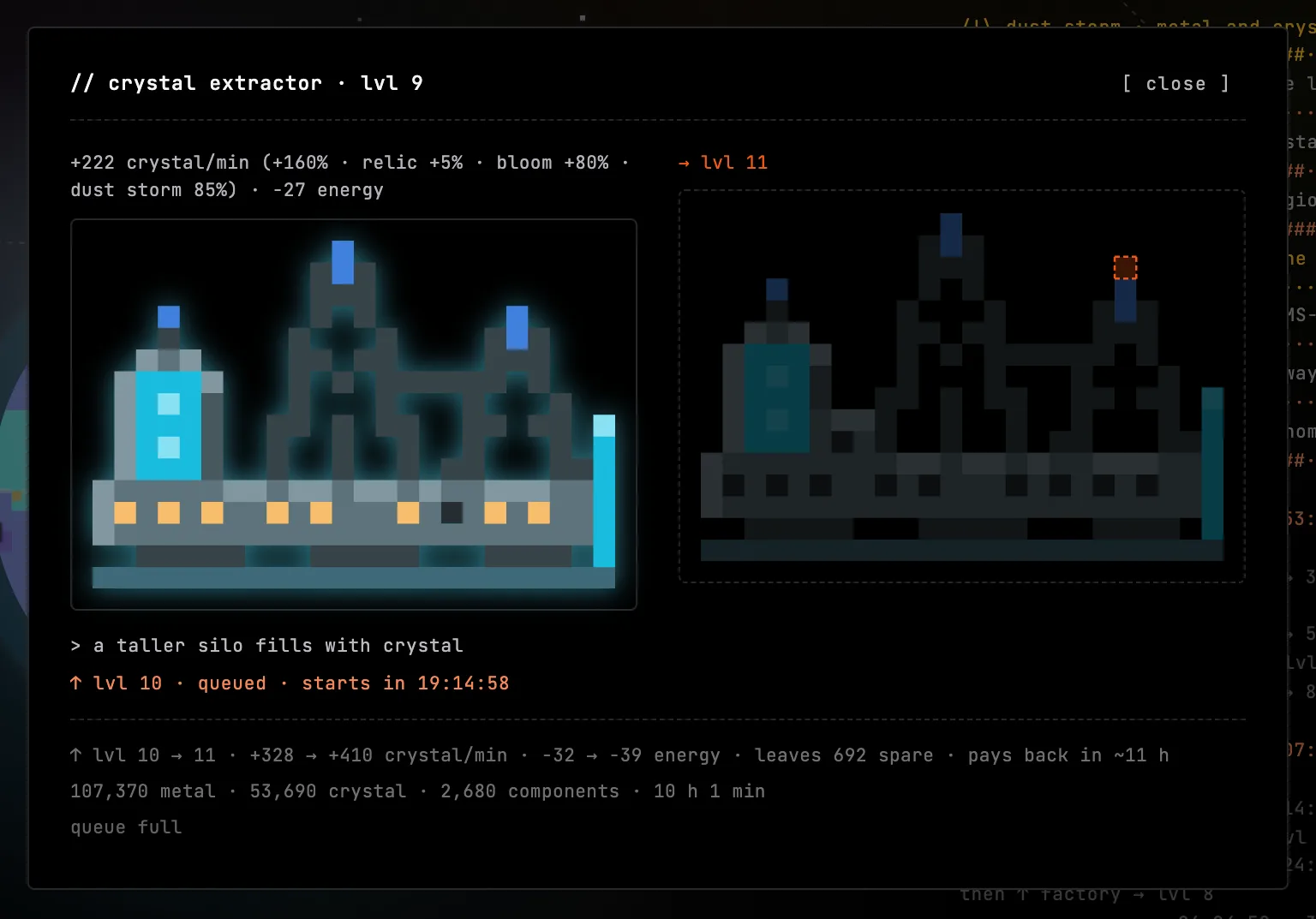
The dialog ends with the same [ upgrade ] as the tile. Press [ close ], Escape or anywhere outside the dialog to close it. A card under // build opens the same way, showing the building's first level.
// queue builds before you leave
The colony builds one thing at a time, but the build queue can hold three, four from Level 12 and five from Level 29. When something is already being built, a card or tile offers [ queue ] in place of [ build ] or [ upgrade ]. A queued item is paid for at once and starts by itself the minute the one ahead of it finishes, whether or not you are watching.
You can queue an upgrade behind the level below it, so a building can climb two levels while you are away. A building that needs a technology can only be queued once the research is finished, not while it is still waiting in the research queue.
Queued items sit under the build in progress in // now, each with countdowns to its start and its end.
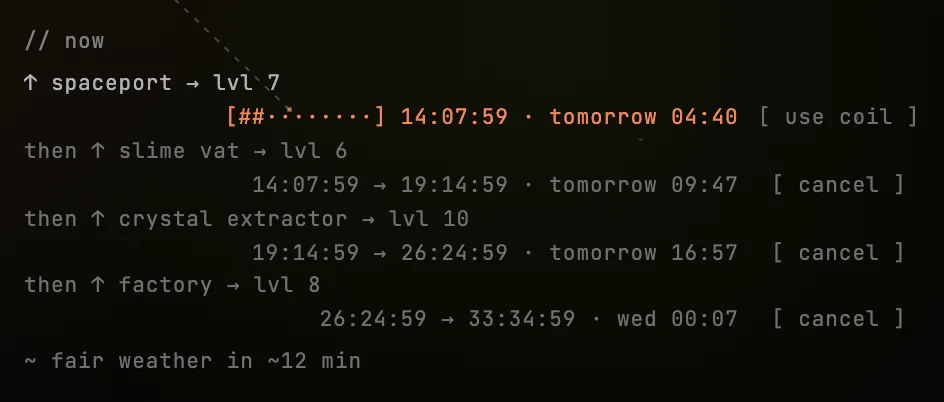
To change your mind, press [ cancel ] on a queued item. Its whole cost comes back, and the items behind it move up. Anything that needed the cancelled item, such as the next level of the same building, is cancelled and refunded with it. The item already under way can't be cancelled.
// when a card can't start
When a building can't start, its card or tile shows the reason in place of the button, worded so you know what to do:
needs 2,809 more metal · ~48 minmeans the stores are short, and says roughly how long the colony takes to make the rest at its usual rate.nothing coming inmeans nothing in the colony produces what is missing. Build or repair what makes it first.more than the store holdsmeans the cost is bigger than the store can ever hold. Upgrade the Warehouse first: see Energy and storage.needs colony level 5means the next level waits for the colony to reach that level.
A reason that holds back the whole section is said once in its heading instead, with when it clears, as in queue full · frees in 2:21. Each card it holds back then shows a dim dot where its button would be. A shortfall that several cards share is said once above them in the same way.
// the wreck
Above the tiles sits the wreck of the lander the crew came down in. It takes no field and draws no Energy. Once the rover has explored the landing site, the wreck's parts are listed under it, each with its cost, its repair time and a [ repair ] button, or the level it waits for. A repair goes through the build queue like a building, and each repaired part opens something new for the colony. The surface covers the rover's first trip there.